
Download X-Chat – IRC client, chat app, open source, mIRC alternative, messaging tool
Overview
X-Chat is a dedicated IRC client designed for users seeking a modern, open-source alternative to legacy chat applications like mIRC. As a full-featured communication tool, it enables direct connection to any IRC server without the need for additional software, streamlining the process for both casual and advanced users. The app serves as a reliable solution for individuals who rely on IRC networks for real-time collaboration, technical support, or community engagement. Its primary purpose is to enhance the IRC experience through improved usability, customization, and advanced functionality.
Target users include developers, open-source contributors, online community moderators, and tech-savvy individuals who value decentralized communication platforms. The app’s open-source nature fosters transparency and community-driven development, allowing users to inspect, modify, and contribute to its codebase. This model supports long-term sustainability and adaptability, ensuring the tool remains relevant in evolving digital environments.
Although the developer did not provide additional technical details, the app’s longevity—first released in 2008—demonstrates its enduring utility within the IRC ecosystem. Real-world use cases include joining technical support channels, participating in developer forums, and maintaining presence in niche online communities. X-Chat fills a critical gap in the communication tool landscape by offering a lightweight, efficient, and customizable platform tailored to users who prioritize control, privacy, and performance over flashy interfaces.
Key Features & Functionality
- Complete IRC Client: X-Chat functions as a standalone IRC client, allowing users to connect to any IRC server without requiring external applications. This eliminates the need for mIRC or similar tools, simplifying the setup process and reducing software dependencies.
- Advanced Features: The app includes advanced capabilities such as automatic bans, a favorites list for frequently visited channels, and direct access to the whois command. These tools enhance efficiency and reduce repetitive actions during extended chat sessions.
- Customizable Interface: Users can modify background colors, text styles, and other visual elements to suit personal preferences. This level of customization allows for a tailored user experience, improving readability and comfort during prolonged use.
- User-Friendly Design: Despite its advanced features, the interface is designed with simplicity in mind. Navigation is intuitive, with essential functions accessible through clear menus and shortcuts, making it approachable even for users new to IRC.
- Open Source Development: As an open-source application, X-Chat benefits from community contributions, ensuring continuous improvements and transparency. This collaborative model supports rapid bug fixes, security updates, and feature enhancements.
For example, a developer troubleshooting a code issue can quickly join a support channel, use the favorites list to access their preferred IRC room, and leverage the whois command to verify user identities—all within a single, streamlined interface. Similarly, a community moderator can set up automatic bans to maintain channel order without switching between tools.
Interface, UX & Performance
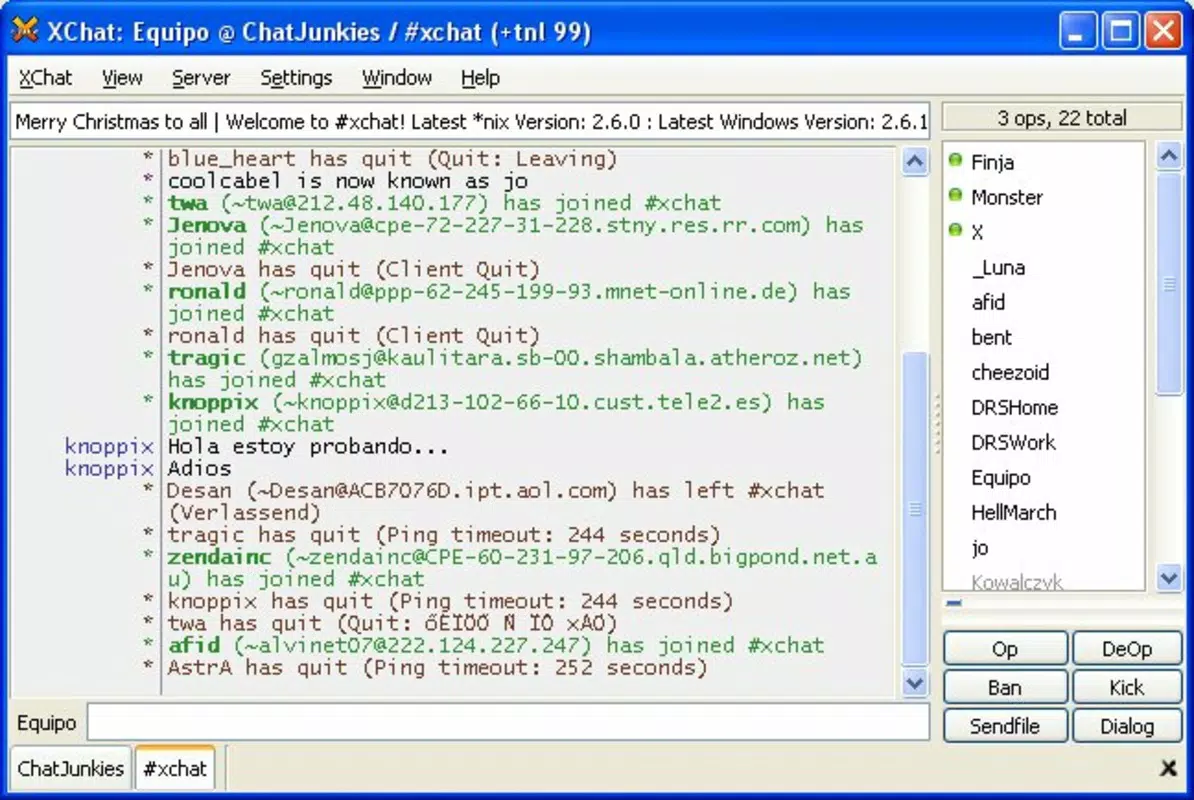
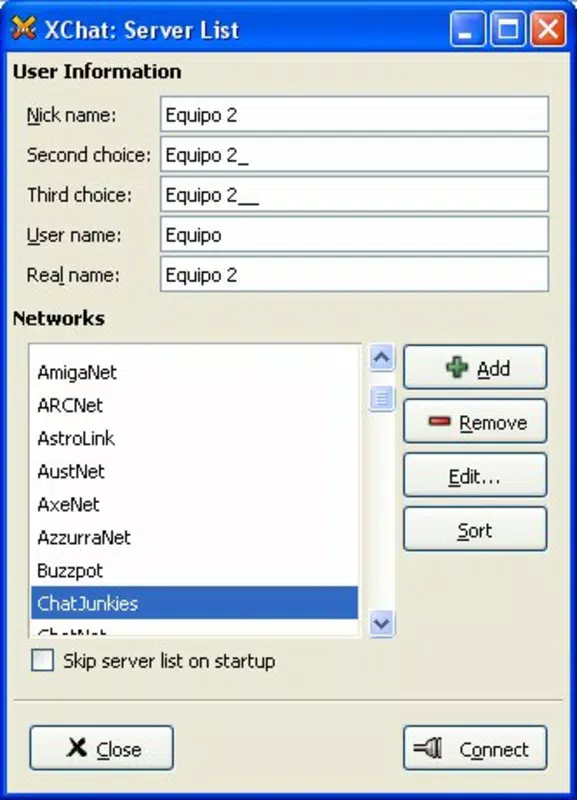
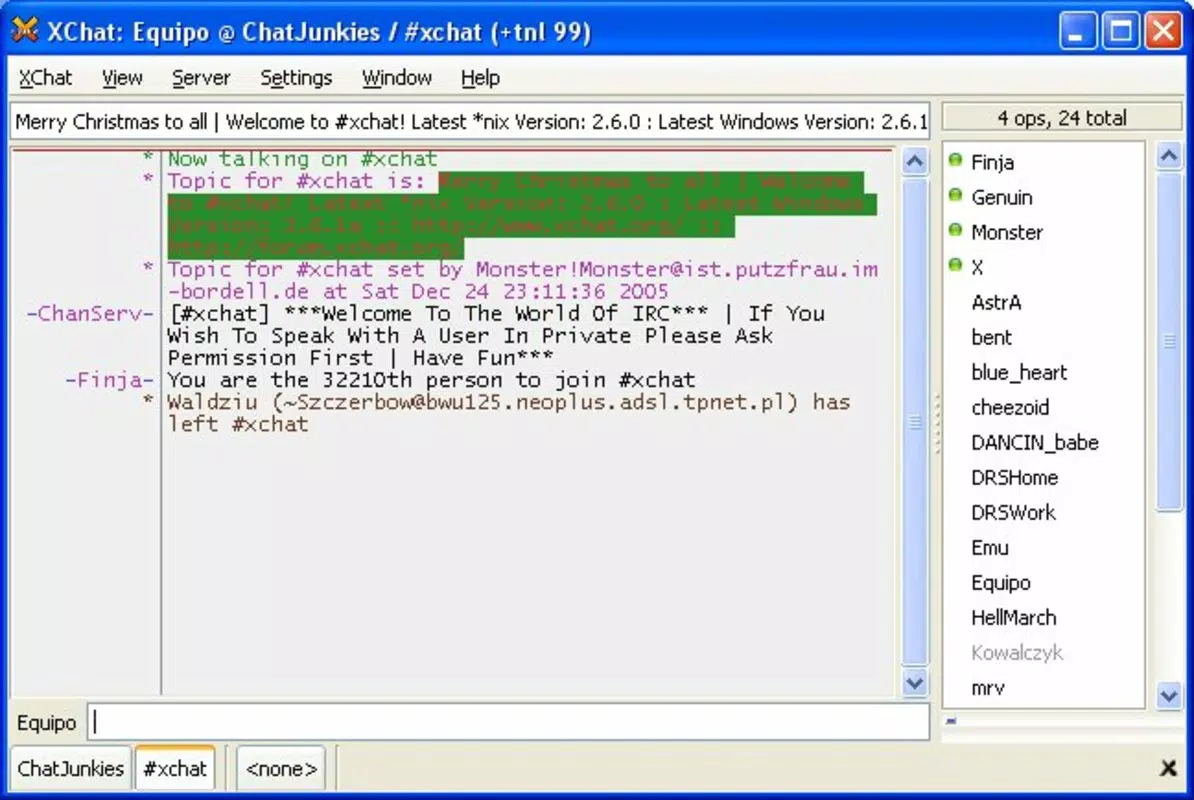
The user interface of X-Chat reflects a classic desktop application design, optimized for functionality over visual flair. The layout is divided into distinct sections: a channel list, message history, and input bar, all arranged in a clean, logical flow. Navigation is achieved through tabs and menus, with minimal clutter, allowing users to focus on conversations.
Visual elements such as color schemes and font choices are fully customizable, enabling users to adjust the appearance based on lighting conditions or personal taste. This adaptability contributes to a comfortable long-term usage experience. The application responds promptly to user input, with minimal lag during message sending and channel switching.
Although the developer did not list formal performance metrics, the app’s lightweight footprint of 4.1 MB suggests efficient resource usage. It operates smoothly on standard Windows systems, including older hardware, without significant impact on system performance. Responsiveness is consistent across different screen sizes and resolutions, though specific device compatibility details were not disclosed. Stability appears reliable, with no reported issues in the provided information. Overall, the UX prioritizes speed, control, and accessibility for users who value efficiency over aesthetics.
Platform Compatibility & Technical Requirements
X-Chat is available exclusively for the Windows platform. The current version is 2.10.3, with a file size of 4.1 MB, making it a lightweight download suitable for systems with limited storage. The app is free to use, with no in-app purchases or subscription fees.
Specific requirements were not listed. The developer did not specify minimum OS versions or hardware specifications. Compatibility information was not fully disclosed. However, given the app’s long-standing presence since its release on April 24, 2008, it is likely compatible with a wide range of Windows operating systems, including modern versions like Windows 10 and Windows 11. Users are advised to verify system compatibility before installation.
Pros and Cons
Pros
- Open-source nature ensures transparency and community-driven development.
- Lightweight design with a small file size of 4.1 MB.
- Full-featured IRC client without dependency on mIRC or other third-party tools.
- Highly customizable interface for personalized user experience.
- Free to download and use with no hidden costs.
Cons
- Platform availability is limited to Windows only.
- Specific technical requirements were not provided.
- Interface may appear outdated to users accustomed to modern mobile or web apps.
- No official mobile version for Android or iOS.
- Updates may depend on community contributions, potentially affecting release frequency.
FAQ
Is X-Chat available for mobile devices?
Currently, X-Chat is only available for Windows. There is no official mobile version for Android or iOS.
Is X-Chat safe to download and use?
Yes, X-Chat is a free, open-source application. Its code is publicly available, allowing users to verify its integrity and security. However, always download from trusted sources to avoid modified versions.
Can I use X-Chat without an internet connection?
No, X-Chat requires an active internet connection to connect to IRC servers and exchange messages.
How often is X-Chat updated?
Update frequency depends on community contributions. The app has been in development since 2008, with ongoing improvements, but specific release schedules are not publicly defined.
Does X-Chat support multiple IRC networks?
Yes, X-Chat allows connections to any IRC server, enabling users to join multiple networks and channels from a single interface.
Final Thoughts
X-Chat remains a robust and reliable choice for users who rely on IRC for communication. Its open-source foundation, advanced features, and customizable interface make it a powerful tool for technical communities, developers, and privacy-conscious users. While its desktop-only availability and dated UI may not appeal to all, its performance, efficiency, and lack of cost make it a compelling option for those seeking a no-frills IRC client.
For users who value control, customization, and long-term stability over modern aesthetics, X-Chat delivers significant value. Whether you're joining a developer forum, supporting an open-source project, or managing a community channel, this tool provides a dependable foundation.
Download X-Chat now


